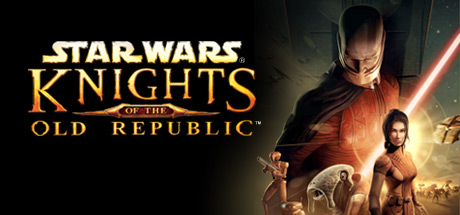
STAR WARS™ Knights of the Old Republic™
Publisher: LucasArts, Aspyr (Mac), Disney, Lucasfilm
Limited data. STAR WARS™ Knights of the Old Republic™ runs excellently natively at a median 60 fps (1 report) on M2 Pro. Only 1 report so far, so this is not a reliable verdict yet.
Mac Performance
Experience Reports
1
Average Rating
5.0/ 5
Play Methods
- Native1
- CrossOver0
- Parallels0
- Other0
Game Information
Note: Mac version only supports English language
Choose Your Path.
It is four thousand years before the Galactic Empire and hundreds of Jedi Knights have fallen in battle against the ruthless Sith. You are the last hope of the Jedi Order. Can you master the awesome power of the Force on your quest to save the Republic? Or will you fall to the lure of the dark side? Hero or villain, saviour or conqueror... you alone will determine the destiny of the entire galaxy!
Choose Your Path.
It is four thousand years before the Galactic Empire and hundreds of Jedi Knights have fallen in battle against the ruthless Sith. You are the last hope of the Jedi Order. Can you master the awesome power of the Force on your quest to save the Republic? Or will you fall to the lure of the dark side? Hero or villain, saviour or conqueror... you alone will determine the destiny of the entire galaxy!
- A brand new Star Wars role-playing experience with unique characters, creatures, vehicles and planets.
- Learn to use the Force with over 40 different powers and build your own lightsaber.
- Adventure through some of the most popular Star Wars locations, including Tatooine and the Wookiee homeworld Kashyyyk.
- Choose your party from nine customisable characters, including Twi'leks, droids and Wookiees.
- Travel to eight enormous worlds in your own starship, the Ebon Hawk.
Experience Reports


PLAYWINDOWSGAMES
ONMAC
Native gameplay, no cloud streaming
15% OFF with exclusive code MGDB15
14 Days Free Trial
*Affiliate link. Supports this site & Mac gaming through CodeWeavers' contributions to Wine.

Native
EXCELLENT

- Graphics:
- ULTRA
- FPS:
- 60
- Hardware:
- M2 PRO
Review Note:
At the highest resolution, it runs at 60 although it might feel sluggish due to how this game was made in the first place. Runs great and is mod compatible although you need to lower your refresh rate to get into fullscreen and lower your resolution as well so the image doesn't get stretched since the widescreen mod is not supported.