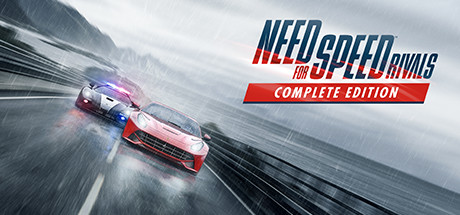
Need for Speed™ Rivals
Publisher: Electronic Arts
Need for Speed™ Rivals runs excellently through CrossOver at a median 30 fps (3 reports) on Apple Silicon. Based on 3 reports across M2, M3 Pro.
Mac Performance
Experience Reports
3
Average Rating
4.0/ 5
Play Methods
- Native0
- CrossOver3
- Parallels0
- Other0
Game Information
Key features
- 6 additional packs — Get the Simply Jaguar Complete Pack, the Ferrari Edizioni Speciali Complete Pack, the Concept Lamborghini Complete Pack, the Koenigsegg Agera One, the Complete Movie Pack, and the Loaded Garage Pack.
- Race with friends — Imagine your race and your friend’s pursuit colliding, creating a world where no 2 events feel the same. Don’t want to play with others? Simply choose to make Redview County yours alone and dominate the advanced Racer and Cop AI.
- High-stakes rivalry — Racers are lone wolves out for glory, driving agile cars built for high-speed racing and epic chases. Cops work in teams to hunt down and bust racers using the full power of the police force. Switch roles whenever you like, and watch the stakes grow through a new scoring system that puts your speed points on the line.
- Your car, your identity — Personalize your cars with performance and style modifications. Power up your car with the latest upgrades in pursuit technology and personalize your bodywork with fresh paint jobs, liveries, custom license plates, rims, and decals to show off your car to the world.
- Pursuit and evasion tech — Use the latest pursuit tech and modifications to change your pursuit or escape strategy on the fly. Racers evade Cops using turbo bursts, jammers, and electromagnetic pulses. Cops will be armed for aggressive busts, deploying shockwaves, spike strips, and calling in police roadblocks or helicopter support.
Experience Reports

Play Need for Speed™ Rivals on your Mac
3 of 3 players rate it playable or better in CrossOver at a median 30 fps.
CrossOver runs Windows games on macOS. No Windows license, no virtual machine.
- No subscription
- No credit card
- 14 days start when you first open it
*Affiliate link. Supports this site & Mac gaming through CodeWeavers' contributions to Wine.

CrossOver
v24.0

- Graphics:
- MEDIUM
- FPS:
- 30
- Resolution:
- 1280x800
- Hardware:
- M2 BASE
Review Note:
Playable using CXPatcher and DXVK on CrossOver 24, FPS occasionally drops but it isn't that major. Only issue is that particle effects are too dark.
Specs: M2 MBA, 8GB ram
CrossOver
v25.1- Graphics:
- ULTRA
- FPS:
- 30
- Resolution:
- 1920x1080
- Machine:
- MacBook Pro
- Chip:
- M2 BASE
- Cores:
- 8 CPU, 10 GPU
- RAM:
- 16 GB
Review Note:
Worked Great, Slight Stutters on New Terrain and To Anyone Wondering, 30FPS Is the Default, It is Not Laggy According to my Senses
CrossOver
v25.1.1

- Graphics:
- ULTRA
- FPS:
- 30
- Resolution:
- 1920x1200
- Machine:
- MacBook Pro
- Chip:
- M3 PRO
- Cores:
- 12 CPU, 18 GPU
- RAM:
- 36 GB
Review Note:
CrossOver configuration for NFS14.exe
CrossOver: 25.1.1
Bottle: Windows 10, 64-bit
Graphics Engine: DXVK from CXPatcher 0.6.5
MoltenVK: 1.2.10 — Standard/Legacy from CXPatcher 0.6.5
Visual C++: Native Microsoft Visual C++ 2012 x64, version 11.0.51106
MSync: Enabled
DXVK Async: Disabled
Fast Math: Disabled
The `dxvk.conf` file is located next to `NFS14.exe` and contains:
```ini
dxvk.enableAsync = True
dxvk.numAsyncThreads = 2
dxvk.numCompilerThreads = 2
```
What changed:
1. Enabled asynchronous shader compilation — new shaders are compiled in the background, significantly reducing stuttering while driving.
2. Reduced compilation thread counts — previously two groups of 7 threads, now two groups of 2. This reduces CPU contention between shader compilation and the game itself.
3. Preserved the existing shader cache — it continues to grow as new shaders are compiled.
4. Terminated a stuck `EALaunchHelper.exe` process — it was consuming an entire CPU core even after the game had closed. This was a one-time cleanup, not a separate configuration setting.
These adjustments complement the working setup: CrossOver 25.1.1 + DXVK + MoltenVK 1.2.10 + native Visual C++ 2012.