Mass Effect™ Legendary Edition
Publisher: Electronic Arts
Mass Effect™ Legendary Edition runs excellently through CrossOver at a median 60 fps (6 reports) on Apple Silicon. Based on 6 reports across M2 to M5.
Mac Performance
Experience Reports
6
Average Rating
4.2/ 5
Play Methods
- Native0
- CrossOver6
- Parallels0
- Other0
Game Information
Experience an amazingly rich and detailed universe where your decisions have profound consequences on the action and the outcome.
Relive the Cinematic Saga
Heart-pounding action meets gripping interactive storytelling, where you decide how your unique story unfolds.- Three Games, One Launcher: Play through the single-player base content and over 40 DLC from all three games, including promo weapons, armors, and packs.
- Remastered for a New Generation: Experience the trilogy in 4K Ultra HD with enhanced performance, visuals, and graphics, all available in HDR.
- Visual Improvements on All 3 Games: Updates include enhanced models, shaders, FX, lighting and depth of field, plus full-resolution audio.
Experience the Legend of Shepard
Create and customize your own character — from appearance and skills to a personalized arsenal — then lead your elite recon squad across a galaxy in turmoil.- New Shepard Customizations: With improved hair, makeup, eye color and skin tones you can create your Shepard in a unified character creator with all options available across the full trilogy, or choose to play as the iconic Femshep from Mass Effect 3 now available in all titles.
- Gameplay Enhancements for the First Mass Effect Game: Enjoy improved aiming and weapons balance, SFX, better Mako controls, input/controls, squad behavior, cover behavior and gameplay cameras.
Reflect on Your Choices
Your choices seamlessly travel from one game to the next. Each decision you make will control the outcome of every mission, every relationship, every battle — and even the fate of the galaxy itself.- Visual Enhancements for the First Mass Effect Game: The game's been given a full world-building pass including environmental art, VFX and level relighting.
- PC Updates: Enjoy a modernized PC experience across all three games with native controller and 21:9 widescreen support, user interface navigation improvements, and DirectX 11 compatibility.
Included Content
Mass Effect Legendary Edition includes single-player base content for all 3 titles (Mass Effect, Mass Effect 2 and Mass Effect 3), your favorite single-player story DLC, promo weapons, armors and packs:- DLC: Bring Down the Sky, Genesis, Zaeed — The Price of Revenge, Kasumi — Stolen Memory, Lair of the Shadow Broker, Firewalker Pack, Overlord, Normandy Crash Site, Arrival, Genesis 2, From Ashes, Mass Effect 3: Extended Cut, Leviathan, Omega and Citadel.
- Weapons and Armor: Cerberus Weapons and Armor, Arc Projector, Collector's Weapon and Armor, Terminus Weapon and Armor, M-21 Incisor, Blood Dragon Armor, Inferno Armor, Recon Hood, Sentry Interface, Umbra Visor, N7 Warfare Gear, AT-12 Raider, Chakram Launcher, M-55 Argus, M-90 Indra and Reckoner Knight Armor.
- Packs: Equalizer Pack, Aegis Pack, Firepower Pack, Groundside Resistance Pack, Recon Operations Pack, Firefight Pack, ME2 Alternate Appearance Pack 1, ME2 Alternate Appearance Pack 2, ME3 Alternate Appearance Pack 1, and N7 Collector's Edition Pack.
Experience Reports


PLAYWINDOWSGAMES
ONMAC
*Affiliate link. Supports this site & Mac gaming through CodeWeavers' contributions to Wine.


CrossOver
v25.0.1

- Graphics:
- ULTRA
- Resolution:
- QHD
- Hardware:
- M4 BASE
Review Note:
Works great! Didn't need to adjust any of the bottle's graphics settings.
The game ran with no sound but I found a solution for this:
Open the c: drive for the bottle, and go to this folder:
Mass Effect Launcher - English Voice and multisubs
While in this folder, run "MassEffectLauncher.exe" you'll find there via CrossOver, and you'll notice that it has an extra option that's not available in the default launcher, which is "English VO", tick this option, try to run the game via this launcher but it won't run, then run it again through the main launcher from the bottle main screen and sound should be working fine with no issues!


CrossOver
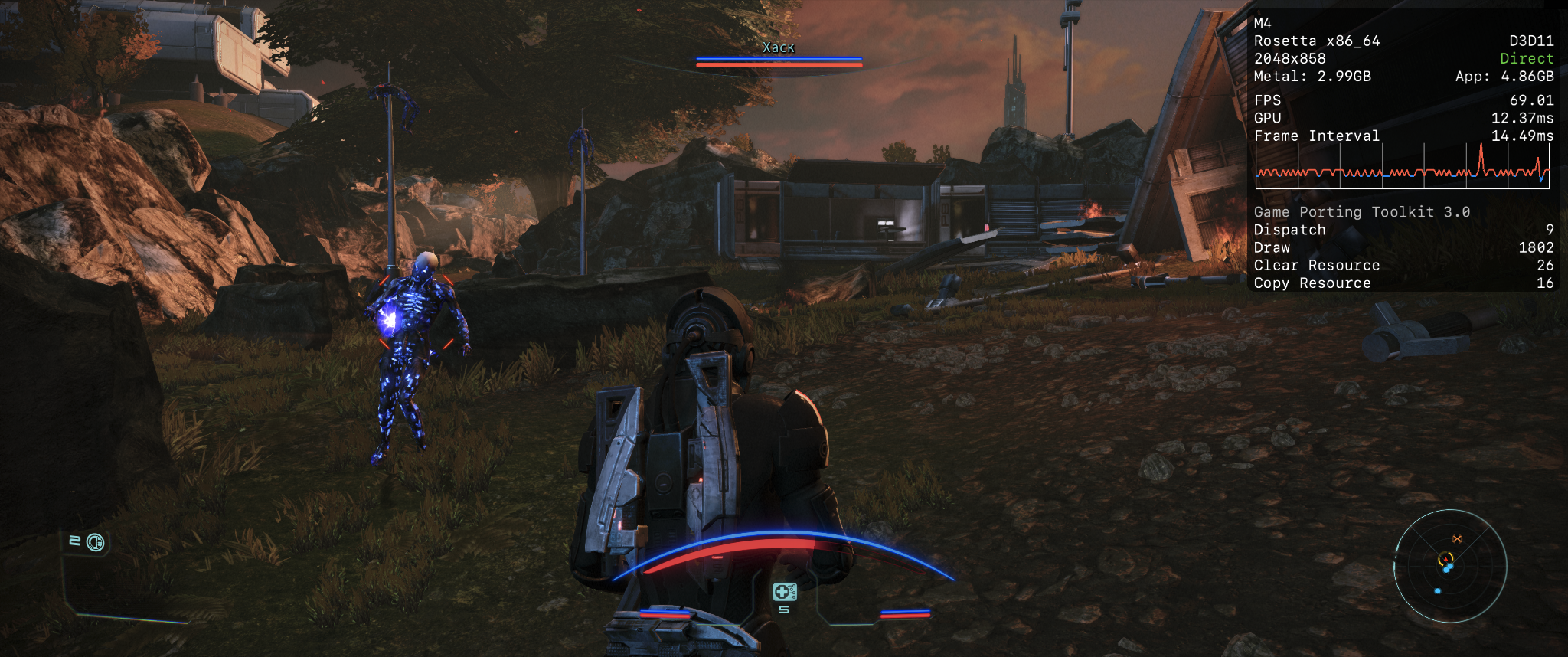
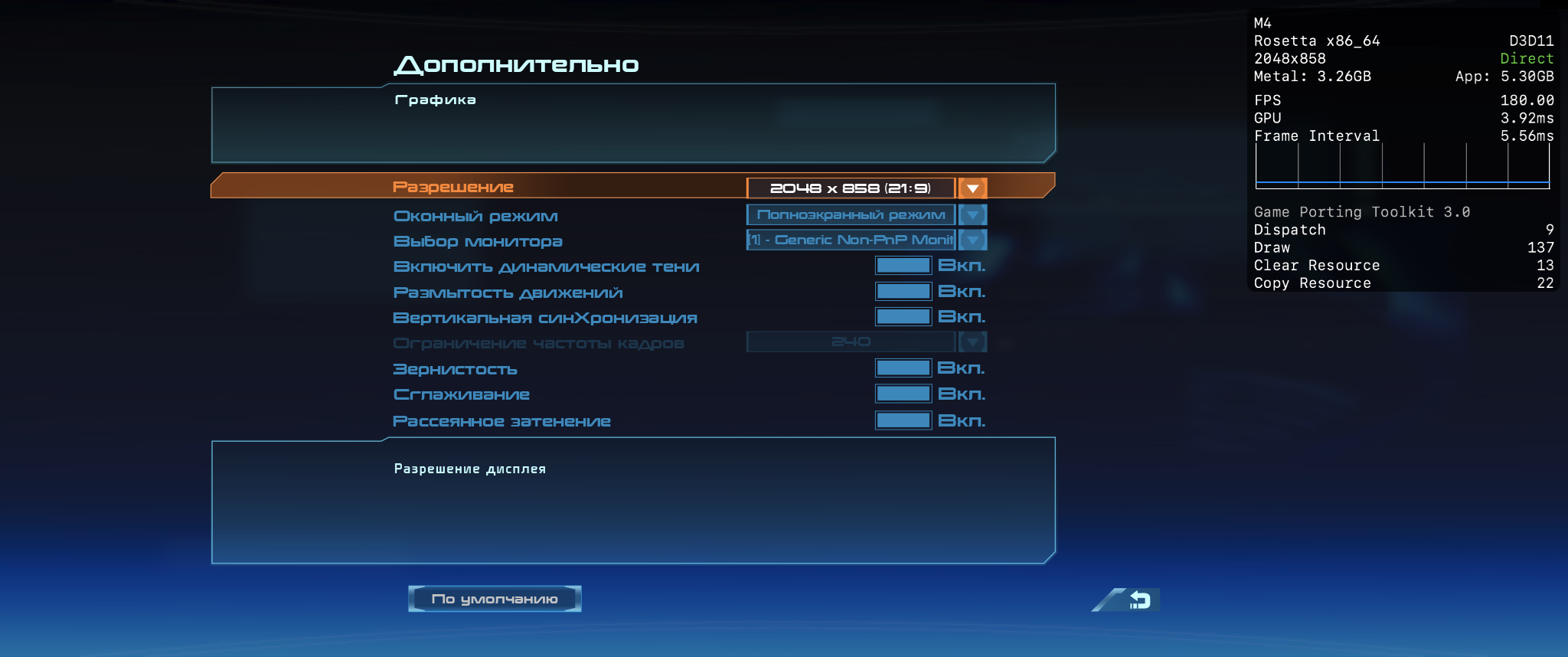
v26.0- Graphics:
- ULTRA
- FPS:
- 60
- Resolution:
- 2040x858
- Machine:
- Mac mini
- Chip:
- M4 BASE
- Cores:
- 10 CPU, 10 GPU
- RAM:
- 16 GB
Screenshots:
CrossOver
v26.1

- Graphics:
- ULTRA
- FPS:
- 60
- Resolution:
- 1920x1200
- Machine:
- MacBook Pro
- Chip:
- M4 PRO
- Cores:
- 12 CPU, 16 GPU
- RAM:
- 24 GB
Review Note:
So far have tested ME1. Performs great but requires specific settings to mitigate hitching and stutters.
DXMT performs better than D3DMetal which causes frequent hitching.
Msync OFF, otherwise this also causes hitching and stutters. V-sync OFF for same reason. High res mode disabled.
Unable to launch with MetalHub overlay so not sure of exact Fps but it is clearly running consistently at 60fps or higher and is as smooth as.a native game. Still, there is the occasional stutter, not intrusive, likely frame pacing issue or asset loading. Otherwise it is perfect. Will update when ME2 and 3 are tested
CrossOver
v26.2

- Graphics:
- HIGH
- Machine:
- MacBook Air
- Chip:
- M2 BASE
- Cores:
- 8 CPU, 10 GPU
- RAM:
- 8 GB
Review Note:
The game shows random error reports like follows:
Wine C++ Runtime Library
Assertion Failed!
Programs CitProgram Files (x86)|Steamlsteamapps ¡commonMass Effect Legendary Edition|Game\ME1 Binaries\ Win64\MassEffecti,exe File: /winejols/mmdevapi/mmdevapi_private.h Line: 120
Expression: “’status”
Press OK to exit the program, or Cancel to start the wine debugger.
No fix after mmdevapi rename nor delete, only opens with -nosound command via steam.
CrossOver
v26.0

- Graphics:
- HIGH
- FPS:
- 60
- Machine:
- MacBook Air
- Chip:
- M5 BASE
- Cores:
- 10 CPU, 10 GPU
- RAM:
- 24 GB
Review Note:
I get a consistent 60 FPS, with thermal mod macbook air
CrossOver
v26.0

- Graphics:
- ULTRA
- FPS:
- 60
- Machine:
- MacBook Pro
- Chip:
- M5 PRO
- Cores:
- 18 CPU, 20 GPU
- RAM:
- 24 GB