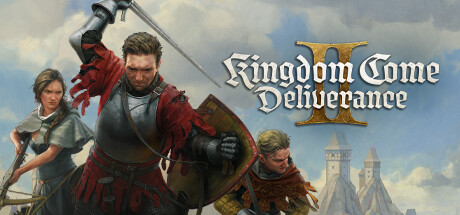
Kingdom Come: Deliverance II
Publisher: Deep Silver
Limited data. Kingdom Come: Deliverance II runs excellently through CrossOver at a median 68 fps (6 reports) on M1 to M5. Most of these 6 reports do not record a framerate, so treat the numbers loosely.
Mac Performance
Experience Reports
6
Average Rating
3.3/ 5
Play Methods
- Native0
- CrossOver6
- Parallels0
- Other0
Game Information




Experience Reports


PLAYWINDOWSGAMES
ONMAC
*Affiliate link. Supports this site & Mac gaming through CodeWeavers' contributions to Wine.


CrossOver
v25.1.1

- Graphics:
- ULTRA
- Machine:
- MacBook Pro
- Chip:
- M1 MAX
- Cores:
- 10 CPU, 32 GPU
- RAM:
- 32 GB
Review Note:
Wont go past the black screen. Did not work with both regular and preview version of crossover
CrossOver
v26.0

- Graphics:
- HIGH
- Machine:
- Mac Studio
- Chip:
- M4 MAX
- Cores:
- 14 CPU, 32 GPU
- RAM:
- 36 GB
Review Note:
Works just fine with Crossover version 26, launching KCD2 via steam
CrossOver
v26

- Graphics:
- LOW
- FPS:
- 60
- Resolution:
- 1512x982
- Machine:
- MacBook Pro
- Chip:
- M5 BASE
- Cores:
- 10 CPU, 10 GPU
- RAM:
- 32 GB
CrossOver
v26.0

- Graphics:
- ULTRA
- Resolution:
- 3440x1440
- Machine:
- MacBook Pro
- Chip:
- M5 PRO
- Cores:
- 18 CPU, 20 GPU
- RAM:
- 48 GB
Review Note:
Crossover Preview; ran perfectly and very smooth and responsive. Feels native
CrossOver
v26.0

- Graphics:
- MEDIUM
- FPS:
- 75
- Resolution:
- 1920x1200
- Machine:
- MacBook Pro
- Chip:
- M2 MAX
- Cores:
- 12 CPU, 30 GPU
- RAM:
- 32 GB
Review Note:
Runs at around 65-80 fps, averaging around 75 and dropping to as low as 55 fps, but it’s mostly stable. Everything except for lighting and global illumination can be set to medium. I was even able to set textures to Ultra. The crossover advanced settings are: D3DMetal, DLSS on, Msync on, High Resolution Mode. I’ve set the in game settings to use the Transformer DLSS preset with Balanced mode. According to the metal hud, The game uses up 22 gb of ram after a while, but this can be reduced by lowering the texture quality to something more reasonable. Overall I spent a decent amount of time tweaking my settings to get the most out my hardware.
CrossOver
v26.0

- Graphics:
- LOW
- Machine:
- Mac mini
- Chip:
- M4 BASE
- Cores:
- 10 CPU, 10 GPU
- RAM:
- 16 GB
Review Note:
There are minor graphical glitches, but nothing of major concern.