
Hold Me Tight All Night, Onii-chan!
Publisher: Kagura Games, NekoNyan Ltd.
Limited data. Hold Me Tight All Night, Onii-chan! runs very well through CrossOver at a median 120 fps (1 report) on M1 Max. Only 1 report so far, so this is not a reliable verdict yet.
Mac Performance
Experience Reports
1
Average Rating
4.0/ 5
Play Methods
- Native0
- CrossOver1
- Parallels0
- Other0
Game Information

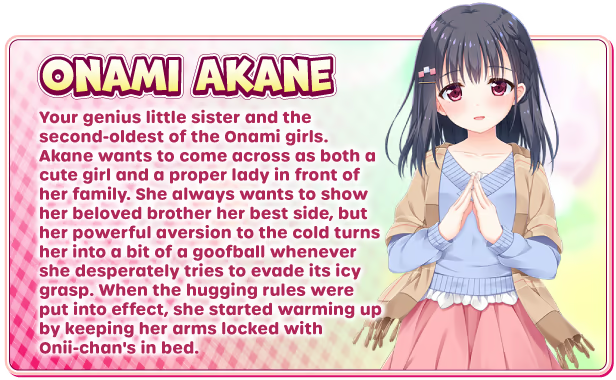
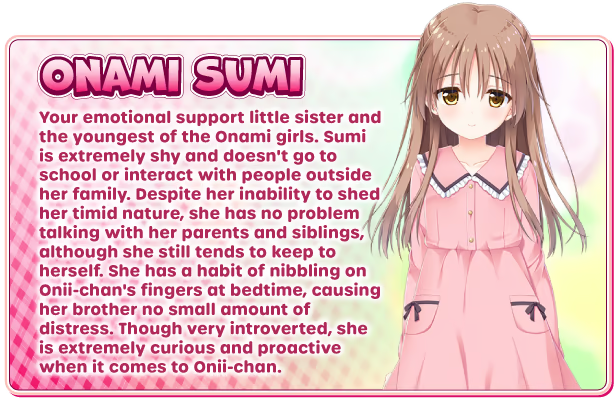
The Onami girls' endlessly affectionate brother developed asthma at a young age, which left him bedridden for much of his early life. Now that his health has improved, he does his best to make up for lost time through online learning. His medical researcher parents have used the unique opportunity his illness provides to gather data about his condition, which has greatly contributed to medical science. As a result, they've encouraged him to get plenty of sleep and lead a calm, relaxing life so that he'll make for a better research subject and help people all over the world. However, those same parents throw a wrench into his peaceful life when they come up with an idea to boost immunity through hugging. Now every evening he has to choose one of his sisters to hug! What will Onii-chan do when faced with this sudden and weighty responsibility?

Embark into the world of sisterly love and tight hugs in this beautifully drawn visual novel! The rich story will keep you captivated as you navigate through the individual character stories.



Experience Reports


PLAYWINDOWSGAMES
ONMAC
*Affiliate link. Supports this site & Mac gaming through CodeWeavers' contributions to Wine.


CrossOver
v25.1.1

- Graphics:
- HIGH
- FPS:
- 120
- Resolution:
- 1920x1080
- Machine:
- MacBook Pro
- Chip:
- M1 MAX
- Cores:
- 10 CPU, 32 GPU
- RAM:
- 32 GB
Review Note:
It runs without issue although a blank screen occasionally appears after launch. Simply close and reopen the game to resolve this. M sync was on. Windows 10 64bit bottle