DOOM
Publisher: Bethesda Softworks
Game Information
2016 Game Awards Winner
About the Game
Developed by id software, the studio that pioneered the first-person shooter genre and created multiplayer Deathmatch, DOOM returns as a brutally fun and challenging modern-day shooter experience. Relentless demons, impossibly destructive guns, and fast, fluid movement provide the foundation for intense, first-person combat – whether you’re obliterating demon hordes through the depths of Hell in the single-player campaign, or competing against your friends in numerous multiplayer modes. Expand your gameplay experience using DOOM SnapMap game editor to easily create, play, and share your content with the world.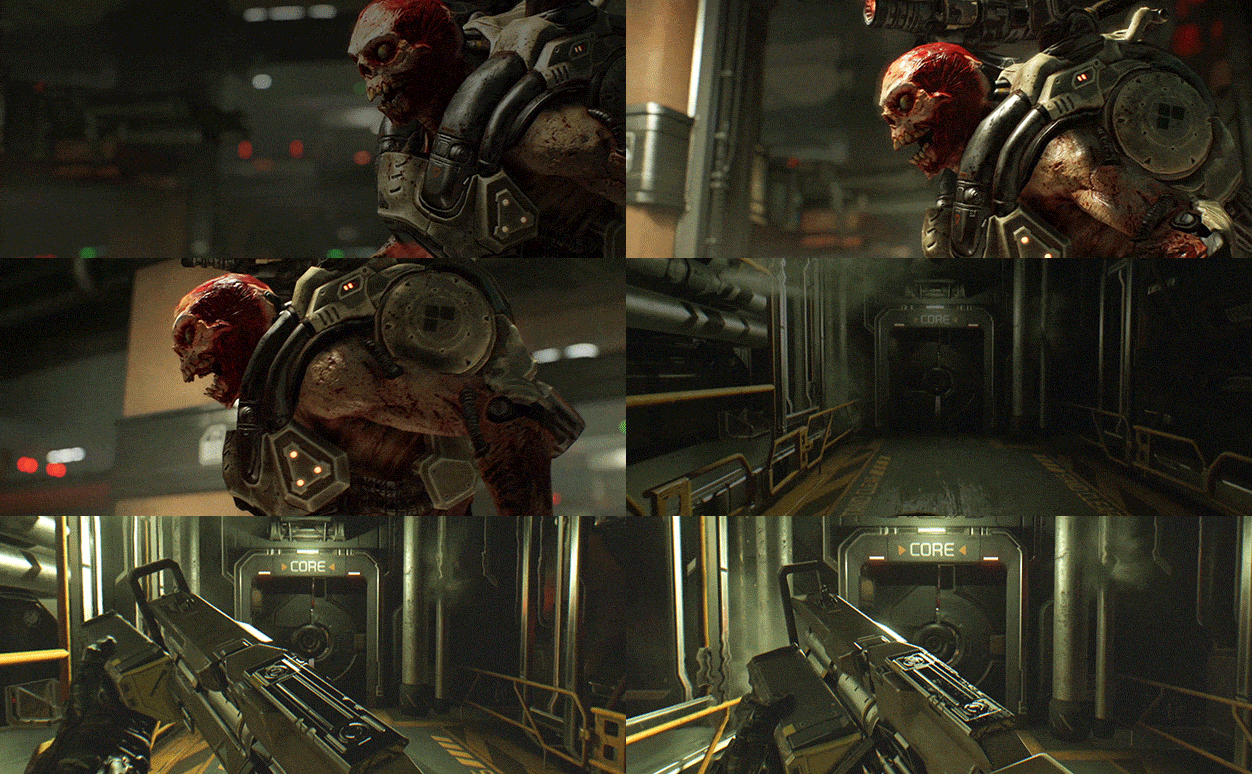
STORY:
You’ve come here for a reason. The Union Aerospace Corporation’s massive research facility on Mars is overwhelmed by fierce and powerful demons, and only one person stands between their world and ours. As the lone DOOM Marine, you’ve been activated to do one thing – kill them all.
KEY FEATURES:
- A Relentless Campaign
There is no taking cover or stopping to regenerate health as you beat back Hell’s raging demon hordes. Combine your arsenal of futuristic and iconic guns, upgrades, movement and an advanced melee system to knock-down, slash, stomp, crush, and blow apart demons in creative and violent ways. - Return of id Multiplayer
Dominate your opponents in DOOM’s signature, fast-paced arena-style combat. In both classic and all-new game modes, annihilate your enemies utilizing your personal blend of skill, powerful weapons, vertical movement, and unique power-ups that allow you to play as a demon. - Endless Possibilities
DOOM SnapMap – a powerful, but easy-to-use game and level editor – allows for limitless gameplay experiences on every platform. Without any previous experience or special expertise, any player can quickly and easily snap together and visually customize maps, add pre-defined or completely custom gameplay, and even edit game logic to create new modes. Instantly play your creation, share it with a friend, or make it available to players around the world – all in-game with the push of a button.
Mac Performance Stats
Experience Reports
1
Play Methods
Average Rating
Experience Reports

PLAYWINDOWSGAMES
ONMAC
*Affiliate link. Supports this site & Mac gaming through CodeWeavers' contributions to Wine.

CrossOver
v26.1p with MoltenVK patch
- Graphics:
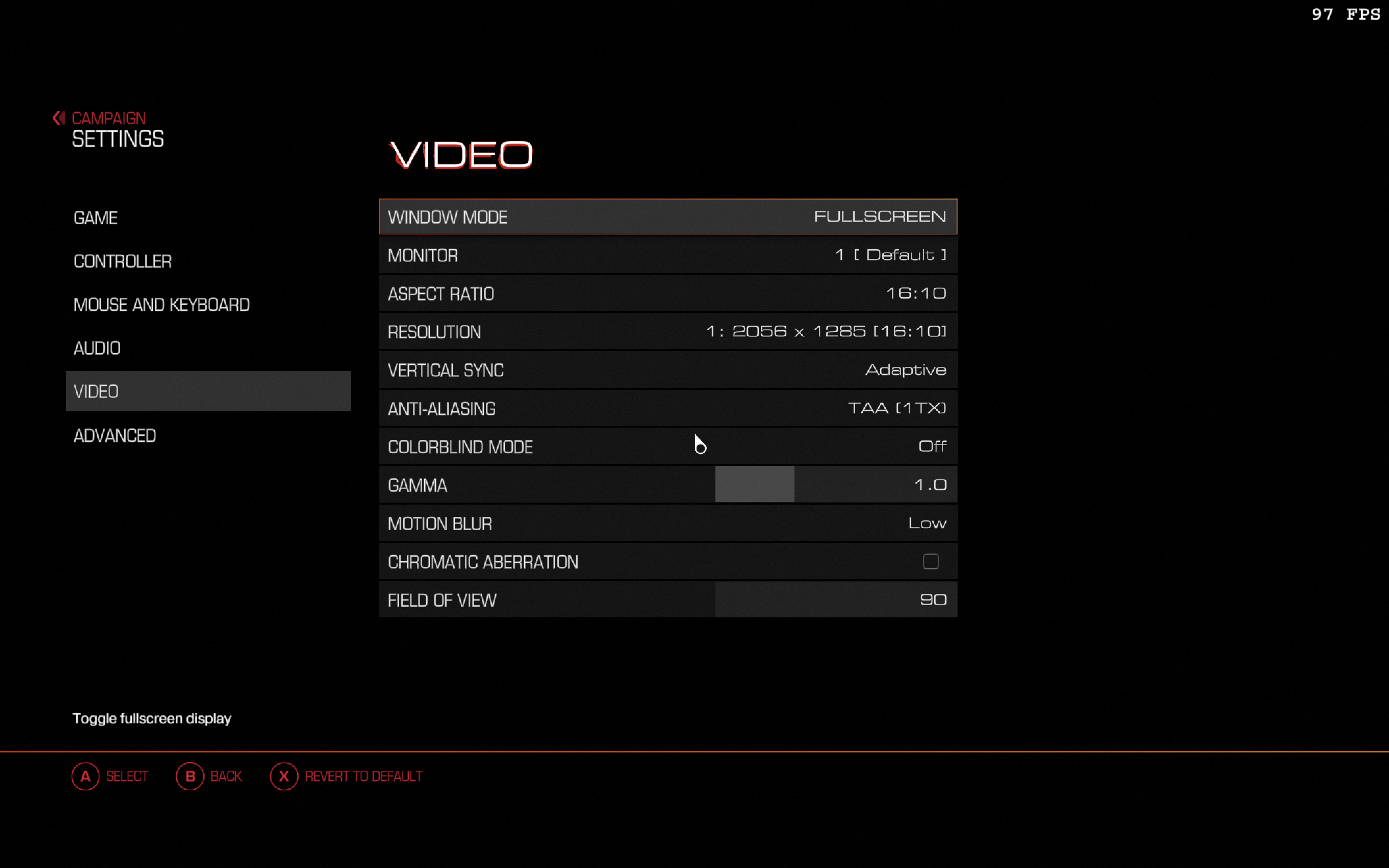
- MEDIUM
- FPS:
- 60
- Resolution:
- 2056x1285
- Machine:
- MacBook Pro
- Chip:
- M1 MAX
- Cores:
- 10 CPU, 32 GPU
- RAM:
- 32 GB
Review Note:
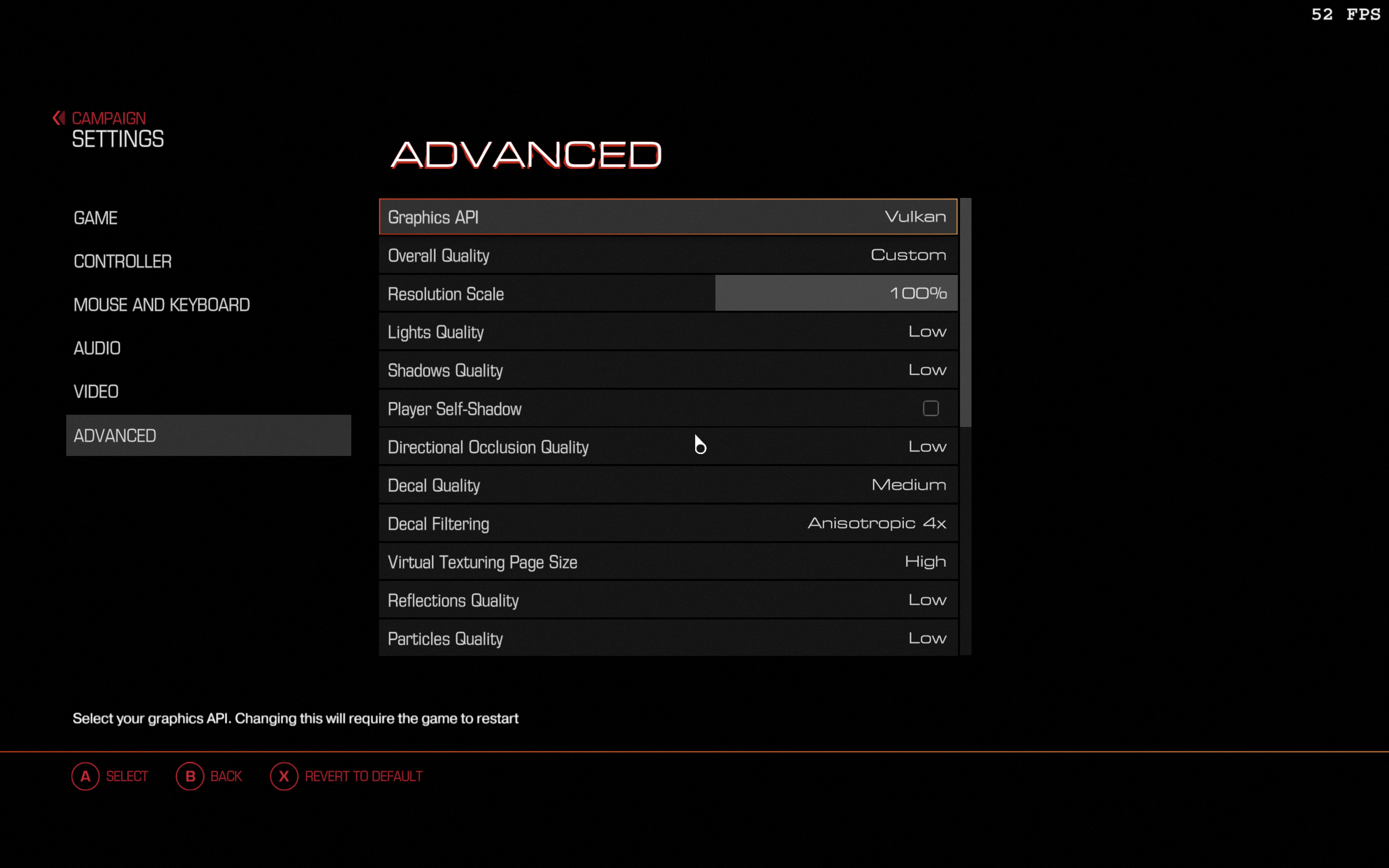
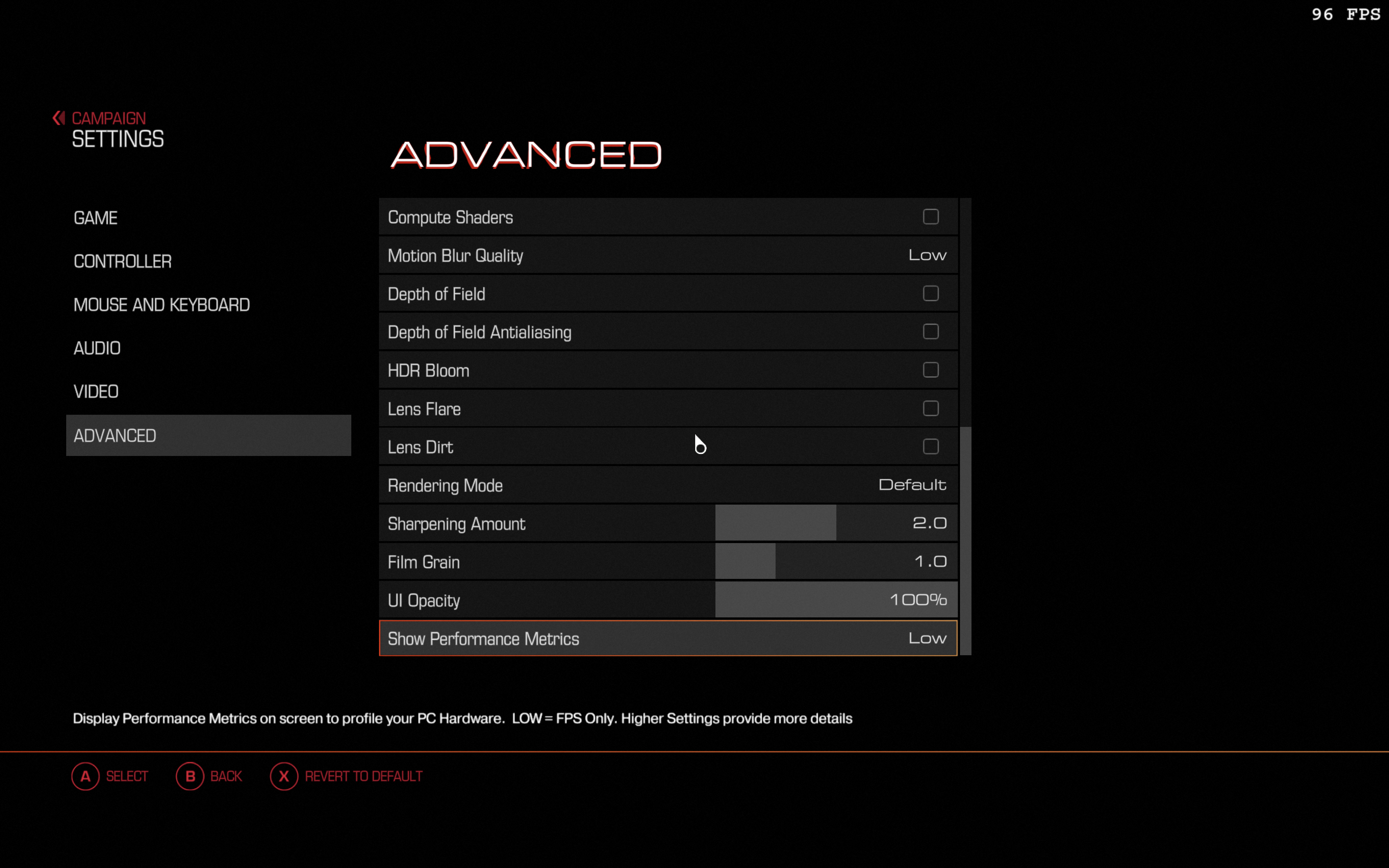
UPDATE: Oh man, how wrong I was... just let Shadow Quality on Low an pull everything up to High to your liking, resolution up to 2560 is possible with 70-100 fps. Very cool!
So here is the old text:
Runs smooth 55-120 fps with the settings on the screenshots. There's is no frame cap I could have found. Maybe you will find.. ;) Play with the graphics settings and please post the results here, maybe you get better display settings, while keeping it smooth. My MacBook keeps running with low fan noise, wonderful!
To make it run:
1.) You have to patch the MoltenVK in the Crossover lib64 directory (make a backup/rename of dylib before copying) with this:
https://drive.google.com/drive/folders/1wToMEvFnaOX77bP9OmvqWicKqY4DC2JI
or from
https://github.com/squidbus/MoltenVK (search for the release)
2.) Set the graphics engine fron OpenGL to Vulkan (patch the ini) in your bottle on /drive_c/users/crossover/Saved Games/id Software/DOOM/base/DOOMConfig.local and change the entry
r_renderAPI "0" --> r_renderAPI "1"
or set the Steam Launch Option: +r_renderAPI "1"
Also take a look at this, if it doesn't work out:
https://www.reddit.com/r/macgaming/comments/1txtk6b/doom_2016_mac_mini_m4_running_with_and_updated/
Good luck and have fun...