
Trackmania
Publisher: Ubisoft
Game Information
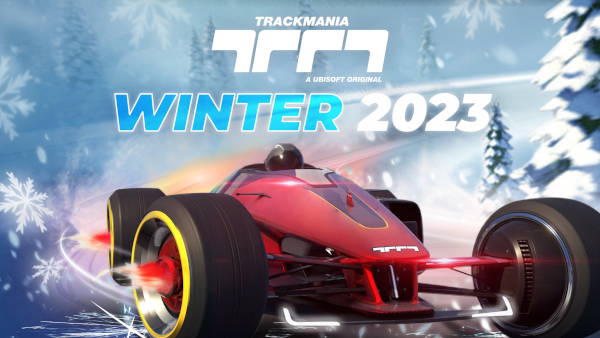
RACE SOLO OR WITH FRIENDS
• Unlock medals, trophies, and prestige skins.
• Climb the leaderboards in the intense versus-style Ranked mode.
• Race on wacky tracks in Royal mode, our 60-player showdown.
• Cross-play and platform progression lets you play anywhere!
EVER-EVOLVING CONTENT
• Enjoy new campaigns every three months.
• Compete on Track and Cup of the Day with tracks made by players, curated by Nadeo*.
• Join and manage community club activities, and access car skins, online rooms, competitions, and more*.
CREATIVITY UNLEASHED
• Create endless possibilities with the track editor.
• Design incredible car skins**.
• Show off your skills with the replay editor**.
*Standard and Club access features
**Unavailable on consoles
Mac Performance Stats
Experience Reports
7
Play Methods
Average Rating
Experience Reports

PLAYWINDOWSGAMES
ONMAC
*Affiliate link. Supports this site & Mac gaming through CodeWeavers' contributions to Wine.

CrossOver
v25.0.1
- Graphics:
- HIGH
- Hardware:
- M1 BASE
Review Note:
TM2020 runs quite well with DXMT. D3DMetal can't load the in-game Ubisoft overlays, and DXVK has severe track rendering issues. I also noticed that D3DMetal was using 4.94GB of RAM on average, while DXMT was using 4.88GB of RAM. However, when importing custom tracks (possible by getting the track .gbx file and placing it in /Documents/Trackmania/Maps/My Maps/), some tracks do not load and the game crashes. The only workaround for this that I've discovered is setting the graphics settings in CrossOver to "Auto"; however, on this setting, Trackmania.exe can use up to 9GB of RAM and in-game screens (checkpoints showing time, in-game ads, etc.) do not load. and are just blank.
CrossOver
v25.0.1
- Graphics:
- HIGH
- FPS:
- 60
- Machine:
- MacBook Pro
- Chip:
- M1 MAX
- Cores:
- 10 CPU, 32 GPU
- RAM:
- 32 GB
Review Note:
Split Screen tends to have a few stutters but overall very good.
CrossOver
v25.0
- Graphics:
- HIGH
- Resolution:
- 1920x1080
- Hardware:
- M2 PRO
CrossOver
v25.0
- Graphics:
- ULTRA
- Hardware:
- M3 PRO
Review Note:
Graphics used to only work if textures were set to very high/high, not sure if this is still the case with crossover 25.
CrossOver
v25.0.1
- Graphics:
- ULTRA
- Resolution:
- 3024x1964
- Hardware:
- M4 PRO
Review Note:
Slight stutters but very playable
CrossOver
v25.0.1
- Graphics:
- MEDIUM
- FPS:
- 60
- Machine:
- Mac mini
- Chip:
- M4 BASE
- Cores:
- 10 CPU, 10 GPU
- RAM:
- 24 GB
Review Note:
TM2020 plays flawlessly with CrossOver through either Ubisoft Connect or Steam. Openplanet, a plugin manager for Trackmania, also works flawlessly, so I'd highly recommend downloading that as well.
CrossOver
v25.0.1- Graphics:
- HIGH
- Machine:
- MacBook Pro
- Chip:
- M4 PRO
- Cores:
- 14 CPU, 20 GPU
- RAM:
- 24 GB
Review Note:
Requires DXMT and M-sync. Will run Openplanet.